How to Set Up and Use Your Halo Remote
The Halo Remote Control gives you a quick and convenient way to send feedback to your dog’s Halo Collar without needing to keep the Halo app open.
Set Up Your Halo Remote Control
To connect your Remote Control:
- Open the Halo app.
- Go to Settings → My Remotes → Add Remote.
- Select Remote Control 5-Button.
- Follow the in-app instructions to connect your Remote Control and assign it to your dog.
Give It a Moment to Connect
It may take up to one minute for the Halo app to find your Remote Control. Keep the Remote Control nearby and allow the search to finish.
Get to Know Your Remote Control
Use the diagram below to familiarize yourself with the buttons and functions of your Halo Remote Control.
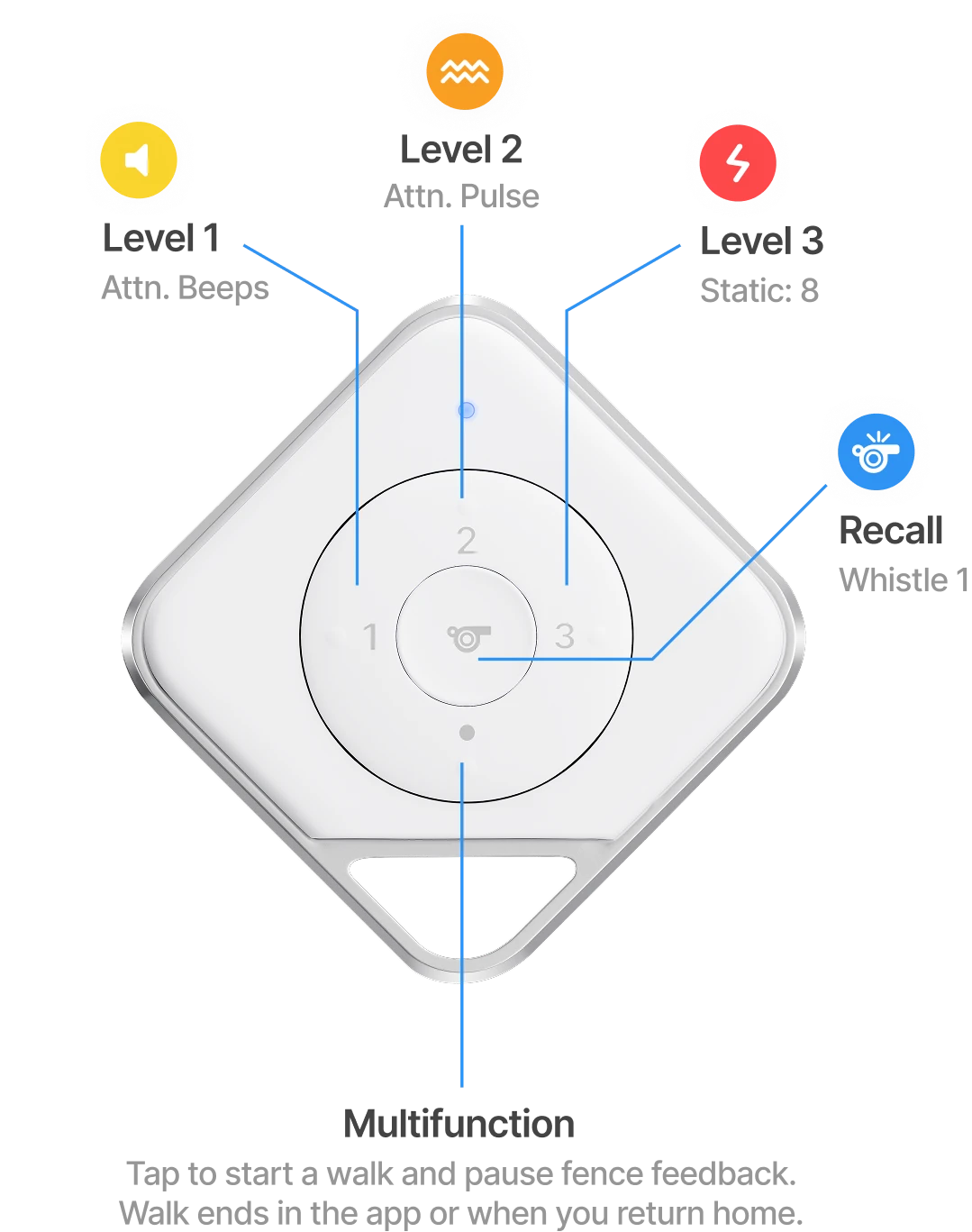
With your Remote Control, you can send Pulse, Beep, Static, and Whistle feedback directly to your dog’s Halo Collar.
You can also use the Remote Control to start a Walk, which temporarily pauses fence feedback while you and your dog are away from home.
Using Your Remote Control
Once your Remote Control is connected and assigned to your dog, you do not need to keep the Halo app open to use it.
Simply press the appropriate button on the Remote Control to send the corresponding feedback to your dog’s Halo Collar.
If you start a Walk using your Remote Control, the Walk will end when you:
- End the Walk in the Halo app, or
- Return home
Your Remote Control is now ready to use with your dog’s Halo Collar.
If you need additional help, please contact Halo Customer Support.
Comments
0 comments
Please sign in to leave a comment.